Feat 01
Kawaii Draw
A cozy drawing teacher in your pocket. Maestro Bun, a chubby clay bunny in a beret, shows you how to draw 50 cute friends in five small steps: guidelines, outline, face, details and colour. Trace on screen or copy onto real paper with Paper Mode, then play four art mini-games and decorate a sticker room.
Kawaii Draw
Soon
Version 1.0.0
Portrait • Mobile first
Coming Soon to App Store & Google PlayThe iPhone and Android apps are on their way.
Mobile first
Built for iPhone and Android
Version 1.0.0
Free to play
No sign-up
About the game
What is Kawaii Draw?
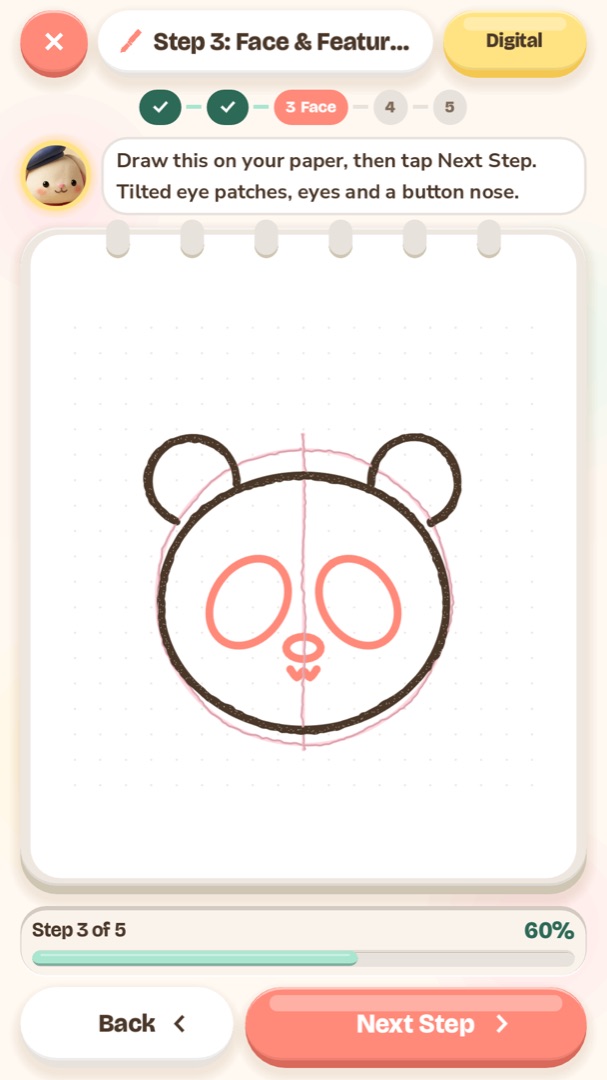
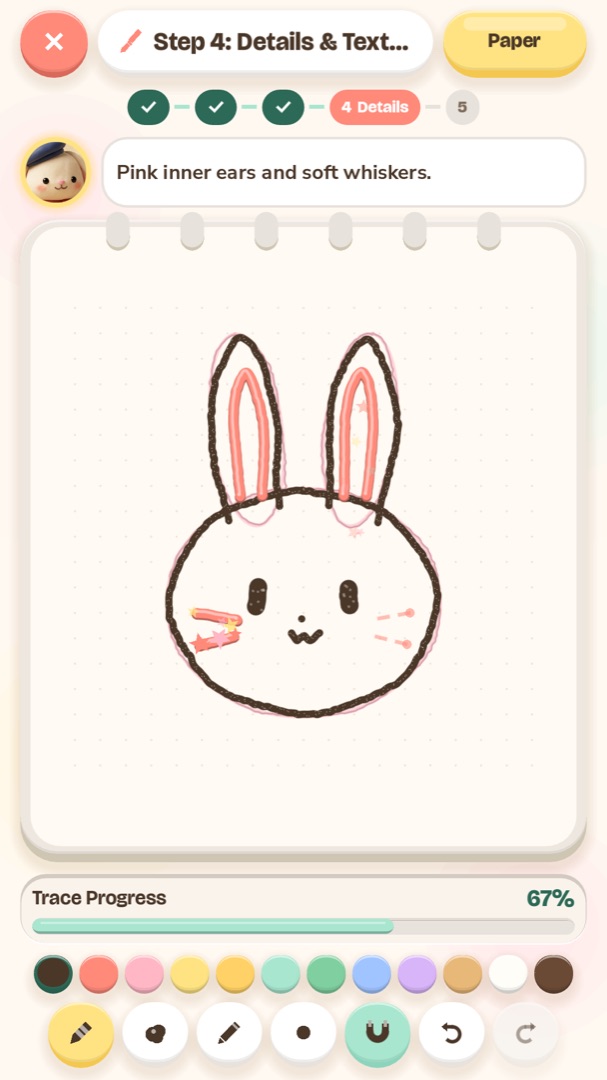
Kawaii Draw is a gentle drawing teacher for anyone who has ever said "I can't draw". Your guide is Maestro Bun, a chubby clay bunny with a navy beret and a red scarf, who breaks every picture into five small steps: soft pink guidelines, the outline, a happy face, little details, and finally colour. Each step shows a dashed line to follow, so you always know exactly where your pencil goes next.
There are 50 lessons in 10 chapters. You start with Shape Warm-ups (straight lines, circles, waves, a spiral and a heart), then draw Snack Friends like a sunny toast and a boba tea, Fluffy Pals like a bunny and a panda, Garden Friends, Dreamy Magic, Cozy Home, Little Vehicles, Ocean Pals, Festival Friends such as a lucky cat and a mooncake, and finally Dino & Dragon. Every lesson takes three to seven minutes and earns a clay sticker for your room.
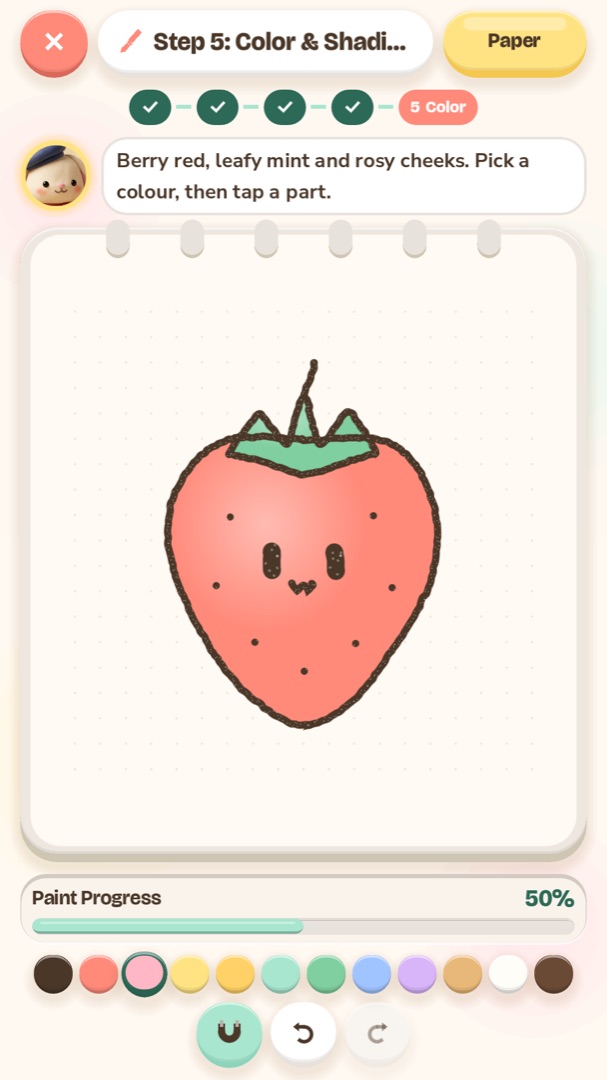
You can draw right on the screen with a finger or a stylus. Lines that follow the guide sparkle into place and wobbly ones simply fade away, without error sounds, and Magnetic Assist gently pulls your line towards the guide for small hands. Choose a Pastel Crayon, Puffy Clay or Soft Pencil brush, then tap each part in the colour step to paint it with soft clay shading. Prefer real paper? Paper Mode turns the screen into a lightbox that shows one step at a time for you to copy.
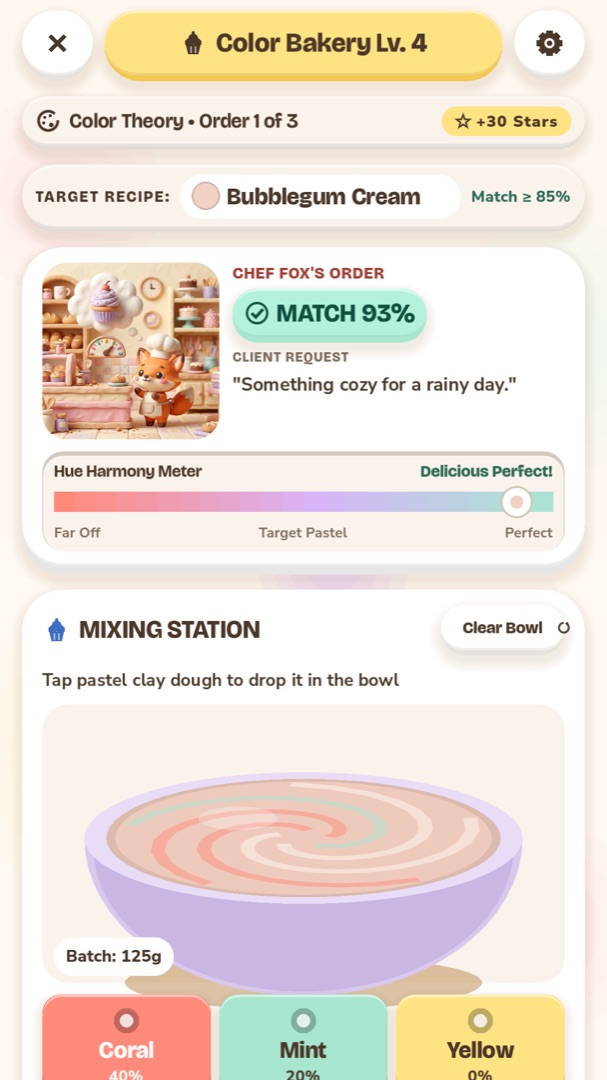
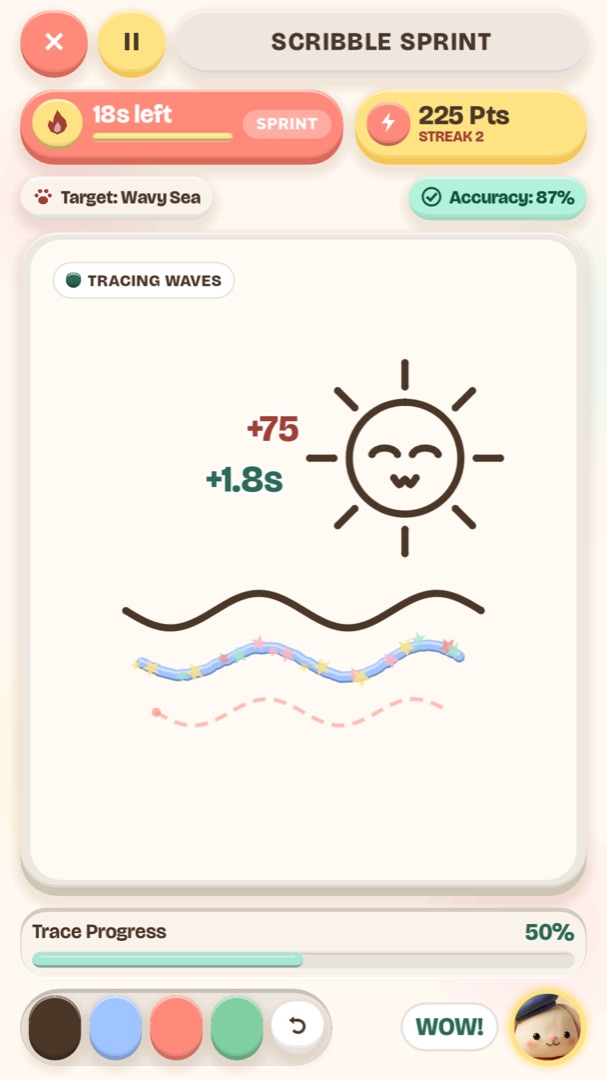
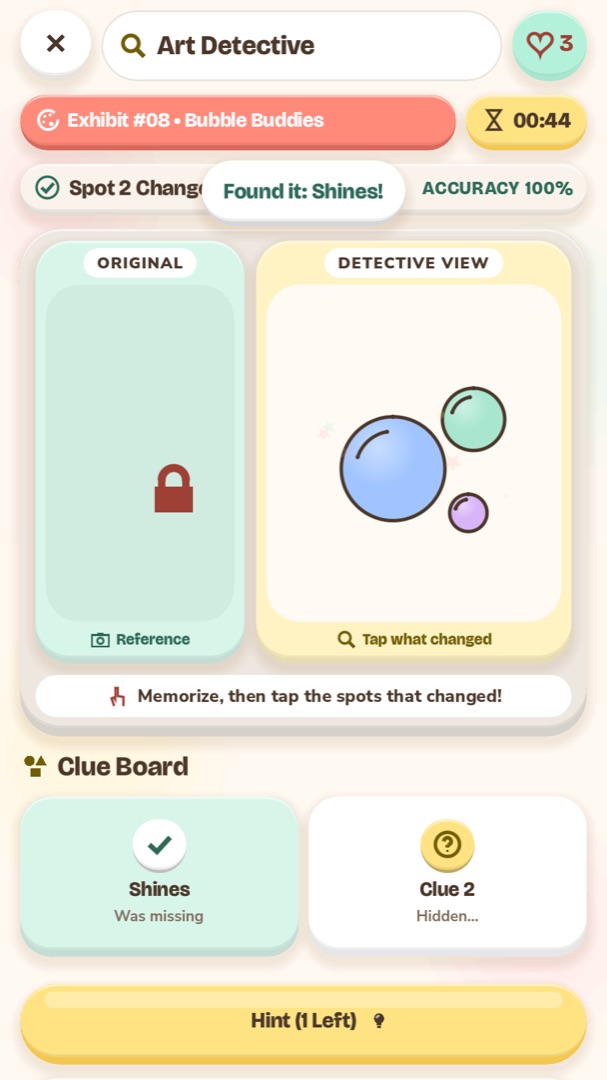
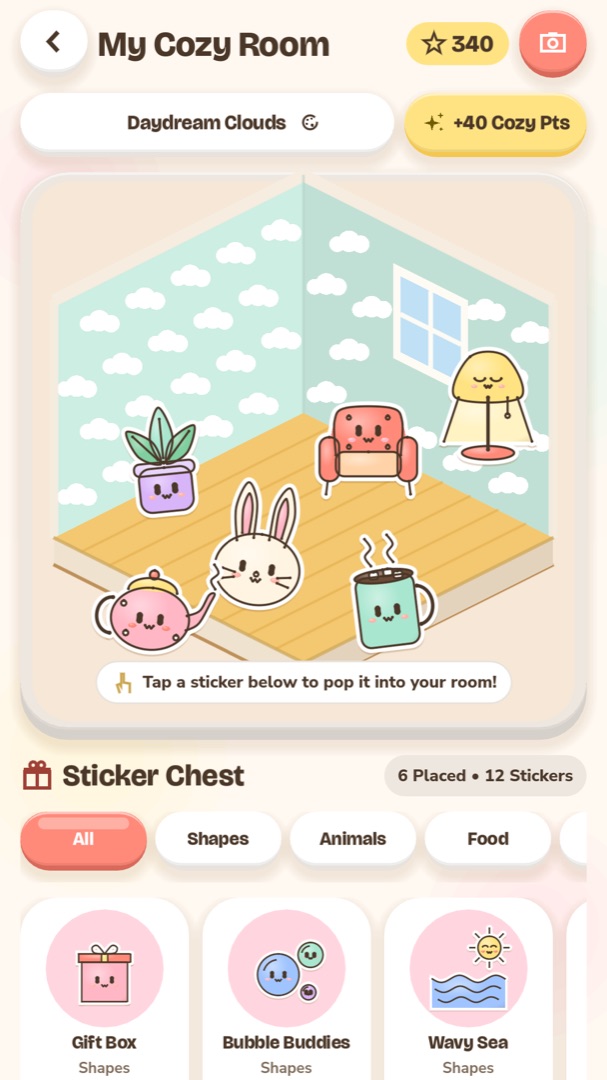
Between lessons, four cozy mini-games practise other art skills: mixing colours in the Color Bakery, fast tracing in Scribble Sprint, visual memory in Art Detective and decorating in the Sticker Room. The Character Maker lets you invent your own kawaii buddy and turns it into a lesson. Kawaii Draw is a mobile app for iPhone, iPad and Android; it works offline, needs no account, and keeps your drawings and progress on your device.
Guide
How to play
- 1
Pick a lesson
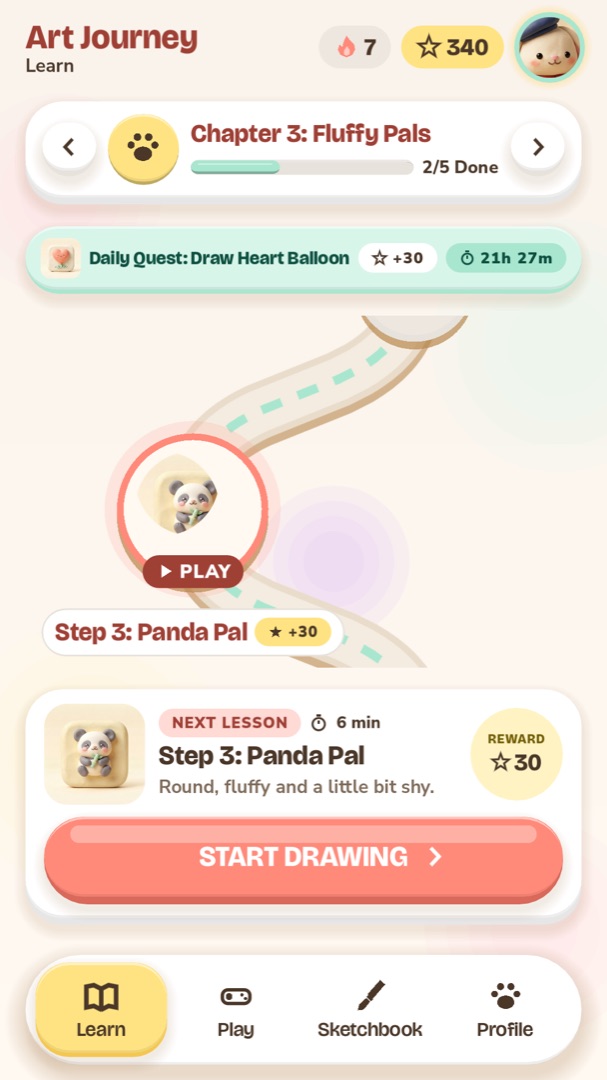
Open the Learn tab and tap Start Drawing, or the glowing lesson on the Journey map. Each chapter has five lessons and a treasure chest at the top that opens when you finish them all.
- 2
Trace the guidelines
Follow the dashed pink lines with your finger or stylus. These soft construction shapes help you place everything, and they disappear when you start colouring.
- 3
Draw the outline, face and details
Each step shows dashed coral lines. Trace them in any order; a long line can be drawn in several strokes. When a line is close enough it sparkles, and the next step starts when all of them are done.
- 4
Colour it in
In the last step, pick a colour from the palette and tap each part of the picture to paint it. Soft shading is added for you. Then collect your stars, your sticker and your drawing in the Sketchbook.
- 5
Play and decorate
Visit the Play tab for Color Bakery, Scribble Sprint, Art Detective and the Character Maker, and place your stickers in the Cozy Room. Stars you earn buy new wallpapers and floors.
Controls
| Action | Touch & stylus |
|---|---|
| Draw a line | Drag with one finger or a stylus on the canvas |
| Paint a part | In the colour step, choose a colour and tap the part |
| Undo or redo | The curved arrow buttons under the canvas |
| Change brush or size | The crayon, clay, pencil and dot buttons under the colours |
| Turn Magnetic Assist on or off | The magnet button, or Settings |
| Switch to Paper Mode | The Paper button at the top of a lesson, then Next Step |
| Move a sticker | Drag it in the room; pinch to resize and twist to turn |
Game manual
Cozy step-by-step drawing lessons with Maestro Bun
Feat 02
Trace with your finger or a stylus, with gentle Magnetic Assist and three soft brushes
Feat 03
Paper Mode turns the screen into a lightbox for drawing on real paper
Feat 04
A sketchbook with a time-lapse of every drawing, saved as an animated GIF
Feat 05
Color Bakery, Scribble Sprint, Art Detective, a Sticker Room and a Character Maker
Strategy
Tips for higher scores
Draw slowly. Following the dashed line calmly gives smoother lines and more stars than racing.
Long curves don't have to be one stroke: lift your finger and continue, the pieces add up.
If lines keep fading, switch on Magnetic Assist with the magnet button; it pulls your line towards the guide.
Start with the Shape Warm-ups chapter even if you're confident: it trains straight lines, circles, waves and spirals.
Try Paper Mode with a pencil first, then go over your favourite drawing with a pen.
Use the Puffy Clay brush for a chunky, sticker-like look and the Soft Pencil for delicate details.
In Color Bakery, look at whether the target colour is warm or cool before adding drops, and use Test Swatch for a hint.
Do the daily lesson quest on the Journey map for bonus stars, and play two different mini-games a day for the arcade quest.
Captured in game
Screenshots
FAQ
Questions players ask
Is Kawaii Draw free?
Yes. Every lesson and mini-game is free to play. Optional ads can double the stars you earn after a lesson or a game.
Do I need an account or internet?
No. There is no sign-in, and the app works fully offline. Your drawings, stars and settings are saved on your device.
Can I draw with an Apple Pencil or a stylus?
Yes. Stylus pressure and tilt change the thickness of your line. A finger works just as well.
I want to draw on paper. Can I?
Yes. Paper Mode shows each step of the lesson large and clear on a bright screen, like a lightbox, so you can copy it onto your own paper one step at a time.
How long is a lesson?
Between three and seven minutes. The Shape Warm-ups are the quickest; the dragon and the lucky cat take a little longer.
Where are my drawings saved?
In the Sketchbook tab, sorted by theme. Open a drawing to watch a time-lapse of every stroke or save it as an animated GIF.
What can I do with the stickers?
Every lesson unlocks a clay sticker. Place them in the Cozy Room, move, resize and turn them, and buy new wallpapers and floors with your stars.
Which languages are supported?
English, Vietnamese, Spanish, Portuguese (Brazil), Japanese, Korean and Simplified Chinese. The app follows your phone's language, and you can change it in Settings.
Changelog
Updates
- Version 1.0.0
- 50 step-by-step drawing lessons in 10 chapters, from Shape Warm-ups to Dino & Dragon.
- Pastel Crayon, Puffy Clay and Soft Pencil brushes, with stylus pressure and tilt.
- Magnetic Assist, undo and redo, and gentle feedback with no error sounds.
- Paper Mode: a lightbox for drawing each step on real paper.
- Color Bakery, Scribble Sprint, Art Detective and the Cozy Sticker Room.
- Character Maker: invent a kawaii buddy and learn to draw it.
- A sketchbook with time-lapse replays and GIF export.
- Available in English, Vietnamese, Spanish, Portuguese, Japanese, Korean and Chinese.
Ready to play Kawaii Draw?
The iPhone and Android apps are on their way. Check back soon.